

In today’s digital world, keeping your digital stuff safe is key. Cyber threats are getting smarter, so having strong cybersecurity is a must for all.
This detailed computer security guide shows you how to strengthen your defences. We’ll look at the basic system protection steps needed for a strong defence.
We’ll cover everything from checking risks to setting up advanced network protections. You’ll learn about the top essential security tools used by experts today.
Whether you’re just using a computer or managing a big network, this guide has useful tips. Let’s start building your best defence system.
Understanding What is Needed to Highly Secure a Computer System
To make a computer system highly secure, you need to know the basics of cybersecurity. This knowledge is the foundation for all security decisions and actions.
Foundational Security Principles
Every strong security plan starts with key principles. These principles protect digital assets and are the basis for security actions.
Confidentiality, Integrity, and Availability (CIA Triad)
The CIA triad is key to security. Confidentiality means only those who should see it can access sensitive information.
Integrity ensures data is correct and unchanged. Availability means systems are available when needed.
Together, these principles offer complete protection. Knowing the CIA triad helps organisations focus their security efforts.
A layered defence strategy uses many security barriers. It knows that one barrier alone is not enough.
Organisations use different controls at various levels. These include physical security, network protections, and application safeguards.
This method is strong because it has redundancy. If one layer fails, others keep protecting against threats.
Identifying Common Cyber Threats
Knowing the threats is the first step to protection. Systems face many dangers from inside and outside.
Malware, Ransomware, and Phishing Attacks
Malicious software is a big threat. It includes viruses, worms, and trojans that can harm or disrupt systems.
Ransomware is very dangerous. It encrypts files and demands payment for the decryption keys, causing big problems.
Phishing attacks are getting smarter. They trick you into giving away personal info by looking like real messages.
These attacks often look like they’re from real companies. Always be careful with emails and links.
Internal Threats and Human Error
Many security breaches come from inside. They can be from malicious employees or compromised accounts.
Human mistakes are also a big risk. Weak passwords or misconfigured settings can leave systems open to attacks.
Training helps reduce these risks. Microsoft offers great tips on keeping your computer safe with simple steps.
Combining tech and human factors is key to strong security. This mix is at the heart of modern cybersecurity.
Performing a Thorough Security Assessment
Before you start any security measures, you need to know your current security level. This is the first step in making any security decisions. It’s the base for all your future security plans.
Asset Inventory and Risk Analysis
First, you must make a full IT asset inventory. You can’t protect what you don’t know you have.
Security experts say:
“Protect yourself by taking stock of all the technology you use, including your mobile and smart devices, computers, and Wi‑Fi networks. By knowing what you have, you can prioritise your security efforts and put the right safeguards in place.”
Cataloguing Hardware and Software Assets
Start by listing every device on your network. This includes servers, workstations, mobile devices, and IoT equipment. For each item, note:
- Device type and manufacturer
- Operating system and version
- Installed applications and services
- Network connectivity details
- Physical location and responsible personnel
Keep this list up to date. Update it whenever your setup changes.
Conducting Vulnerability Assessments with Nessus
After you have your inventory, do a vulnerability scan. Use tools like Nessus to find security weaknesses.
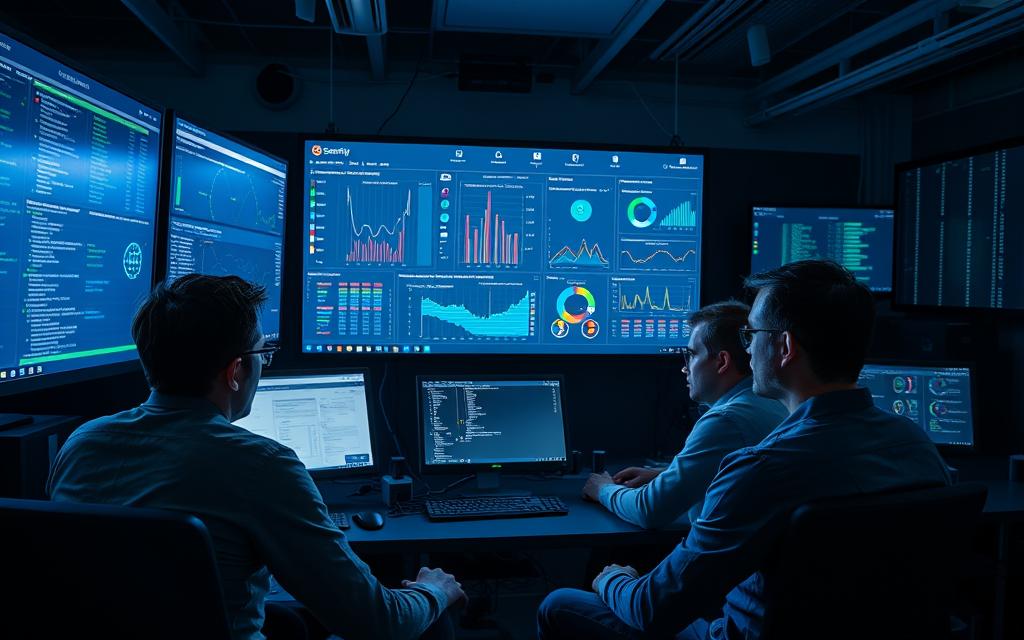
Nessus gives you detailed reports on vulnerabilities. Start with the most critical ones that could let attackers in.
Scanning regularly is key to ongoing security risk analysis. It helps find new vulnerabilities fast.
Establishing Security Baselines
Use the data from your assessment to set security baselines. These are the minimum security standards for your organisation.
Configuring Security Policies
Turn your assessment findings into real security policies. These should cover things like password rules, access controls, and encryption.
Make sure these policies are followed everywhere. Use group policies in Windows or tools for Linux to keep things uniform.
Documenting Procedures for Compliance
Security compliance documentation is very important. It helps keep security consistent and proves you follow the rules.
Include things like security standards, change management, incident response, and user access reviews in your documentation.
This document is very useful during audits or security issues. It shows what actions to take and who is responsible.
Implementing Strong Access Control Measures
After your security assessment, it’s time to control who can access your systems. Strong access management is key to any good security plan. It stops unwanted entry and limits damage from both outside and inside threats.
Enhancing Authentication Protocols
Modern authentication is more than just usernames and passwords. Today, we need better ways to check who’s really logging in.
Deploying Multi-Factor Authentication (MFA)
Multi-factor authentication MFA makes your systems much safer. It asks for more than just a password. You might need something you have, like a token, or something you are, like biometrics.
With MFA, even if hackers get your password, they can’t get in without more. Most cloud services and operating systems have MFA built-in.
Enforcing Password Complexity with LastPass
Strong passwords are vital, but remembering them all is hard. Password manager tools like LastPass help by making and storing strong passwords for you.
These tools make sure your passwords are long and random. This makes it hard for hackers to guess them. They also let you share passwords safely with your team without showing them to anyone.
Managing User Permissions
It’s also important to control what users can do after they log in. Proper permission management keeps damage limited if an account is hacked.
Applying the Principle of Least Privilege
The principle of least privilege means users should only have access they need. This reduces the risk of malware and data leaks.
Following this principle needs careful planning and regular checks. Audits help make sure access rights are right as roles change. This helps prevent both accidents and intentional harm.
Setting Up Role-Based Access Control (RBAC)
Role-Based Access Control (RBAC) helps enforce the principle of least privilege. It assigns permissions based on job roles, not individual users. This makes managing access easier and keeps it secure.
To use RBAC well, define clear roles and map permissions to them. This approach ensures consistency and makes it easier to update permissions when roles change.
| Access Control Method | Primary Benefit | Implementation Complexity | Risk Reduction Impact |
|---|---|---|---|
| Multi-Factor Authentication | Prevents unauthorised access | Medium | High |
| Password Managers | Enforces password policies | Low | Medium |
| Principle of Least Privilege | Limits damage from breaches | High | Very High |
| RBAC Systems | Simplifies permission management | Medium | High |
Using these access control methods together creates a strong defence. MFA checks identities, password managers keep credentials safe. The principle of least privilege and RBAC systems limit damage from breaches.
Securing Network and Data Infrastructure
Creating strong digital defences means protecting your network and data well. This approach keeps your information safe from outside threats and inside leaks.
Configuring Network Defence Tools
Starting with the right network security tools is key. These tools set up layers to stop unwanted access.
Implementing pfSense Firewall Rules
Setting up your firewall is your first defence against threats. pfSense offers top-notch features for your security needs.
When setting up pfSense, remember these key steps:
- Block all incoming connections by default
- Create specific allow rules for necessary services
- Implement geographic blocking for high-risk regions
- Set up intrusion detection and prevention systems
As one expert says:
“A firewall is a software program or piece of hardware that blocks hackers from entering and using your computer.”
Using Wireshark for Network Monitoring
Wireshark gives you a close look at your network traffic. It helps spot odd patterns that might show security issues.
Using Wireshark regularly lets you:
- Watch traffic in real-time
- Debug protocols
- Find malware
- Find performance bottlenecks
Data Encryption Strategies
Keeping data safe needs strong data encryption methods. This way, even if data is caught or stolen, it’s unreadable without the right key.
Encrypting Communications with TLS/SSL
Strong secure communication protocols are key for safe data transfer. TLS/SSL is the go-to for online security.
Look for “https” or a padlock icon to know data is encrypted. These signs mean your info is safe during transfer.
For TLS/SSL, follow these tips:
- Use the latest protocol versions (TLS 1.2 or higher)
- Enable perfect forward secrecy
- Keep certificates up to date
- Make sure all sensitive data is encrypted
Securing Storage with BitLocker and VeraCrypt
For data stored on devices, tools like BitLocker (for Windows) and VeraCrypt offer full protection. They encrypt whole devices or files, keeping data safe even if hardware is lost or stolen.
BitLocker works well with Windows, while VeraCrypt is good for all platforms. Both keep your data safe, no matter what.
When using these tools, consider:
- Pick strong encryption (AES-256 is best)
- Manage and back up your encryption keys safely
- Check how it affects your system’s speed
- Plan for emergency access
Selecting and Deploying Security Tools
Modern computer security needs advanced tools that work together. These tools create strong defence systems. They protect against known and new threats.
Antivirus and Anti-Malware Solutions
Endpoint protection software is key, even with new security steps. It fights off malicious software trying to get into your systems.
Keeping your anti-malware up to date is vital. Old definitions can’t spot new threats, leaving your systems at risk.
Kaspersky Endpoint Security for Business
This top-level solution protects many devices and platforms. Kaspersky has centralised management for IT teams, making things easier.
It has:
- Behaviour-based threat detection
- Application control and device management
- Advanced encryption capabilities
- Mobile device protection integration
Malwarebytes for Advanced Threat Protection
Malwarebytes finds and removes threats that regular antivirus might miss. It uses behavioural analysis to catch threats.
It’s great at:
- Zero-day exploit prevention
- Ransomware-specific protection layers
- Rootkit detection and removal
- Minimal system performance impact
Security Information and Event Management (SIEM)
SIEM systems are key for big organisations. They give full network visibility. They collect and analyse log data to spot security issues.
Good SIEM systems help find threats before they happen. They look for patterns in data that show up in attacks.
Splunk for Real-Time Monitoring
Splunk’s platform is top for real-time threat detection. It analyses lots of data to find security problems.
It’s good for:
- Customisable dashboards and alerts
- Extensive integration capabilities
- Machine learning-enhanced analytics
- Scalable architecture for growing enterprises
SolarWinds Security Event Manager
SolarWinds offers a user-friendly SIEM solution. It’s all about practical security management with easy-to-use interfaces.
It has:
- Automated incident response workflows
- Compliance reporting templates
- Log correlation across diverse systems
- Real-time alerting and notification systems
Choosing the right security tools is all about knowing your environment and threats. The best defence uses a mix of tools that work well together.
Conclusion
Keeping a computer system safe is a continuous task, not just a one-time effort. This summary shows that strong security comes from many principles. These include keeping data private, ensuring it’s not tampered with, making sure it’s accessible, and having multiple layers of defence.
Building a strong cybersecurity system means doing regular checks and setting up strong access controls. You also need to protect your network and encrypt your data. Tools like antivirus software and SIEM systems are key for watching over your system. Each part helps make your security stronger.
To keep your system safe, you need to use technology and be smart about how you use it. Always be on the lookout for new threats and update your defences. This way, you can keep your personal and business computers safe for a long time.
FAQ
What is the CIA Triad and why is it important for securing a computer system?
The CIA Triad is about keeping data safe, accurate, and accessible. It’s key to a secure computer system. It ensures data privacy, accuracy, and access control.
How does the Defence in Depth approach enhance system security?
Defence in Depth uses many security layers to protect systems. This makes systems more secure by having backup defences. It helps fight off different types of threats.
What are some common cyber threats that a secure system must guard against?
Systems must protect against phishing, malware, ransomware, and human errors. Phishing attacks are getting smarter. It’s important for users to be careful with emails and links.
Why is creating an asset inventory a critical first step in securing a system?
An asset inventory helps you know what to protect. It lists all hardware and software. This makes it easier to find vulnerabilities and set up security.
How can tools like Nessus assist in vulnerability assessments?
Nessus scans systems to find weaknesses. It helps identify security gaps. This makes it easier to fix problems and keep systems safe.
What is Multi-Factor Authentication (MFA) and why is it recommended?
MFA makes sure users are who they say they are. It adds an extra layer of security. It’s a good way to protect against unauthorised access.
How does the Principle of Least Privilege (PoLP) improve security?
PoLP limits what users can do. It stops them from causing harm. This makes systems safer from accidents or attacks.
What role do firewalls play in network defence?
Firewalls block threats from outside. They control what data goes in and out. Tools like pfSense help set up strong firewalls.
Why is encrypting data both in transit and at rest important?
Encryption keeps data safe from prying eyes. It’s used for data moving and sitting on devices. Tools like BitLocker protect data even if devices are lost.
What are the benefits of using a password manager like LastPass?
Password managers like LastPass make passwords strong and unique. They help keep accounts safe. This makes it easier to follow security rules without hassle.
How do antivirus and anti-malware solutions contribute to system security?
These tools fight off malware. Keeping them up to date is key. They protect against many threats, from simple viruses to complex attacks.
What is Security Information and Event Management (SIEM) and when is it used?
SIEM systems, like Splunk, monitor networks. They track security events and help respond to threats. They’re vital for big organisations.
How can organisations address the human factor in cybersecurity?
Human mistakes are a big risk. Training and caution are key. Good policies help prevent mistakes and attacks by staff.
What is involved in establishing security baselines?
Security baselines set up safe system settings. They involve setting policies and following procedures. This meets standards and reduces risks.
Why is ongoing vigilance and adaptation necessary in cybersecurity?
Threats are always changing. Security must keep up. A mix of technology, user awareness, and monitoring keeps systems safe.


 By
By